
Reader Transparency: This birding guide contains paid affiliate links. If you click a link and make a purchase, I may receive a small commission at no extra cost to you. As an Amazon Associate, I earn from qualifying purchases. Your support helps keep Feathered Guru flying!
Upgrading your yard with a smart camera bird feeder is a significant investment. When weighing the bird buddy vs netvue birdfy ecosystem before dropping hundreds of dollars based on slick marketing videos, you need to know how these devices handle technical friction in the real world.
This guide dives straight into the actual operational problems owners face, analyzing critical issues including bird buddy flashing orange connectivity loops, netvue birdfy charging issues, and how to stop mold in bird feeders long-term.
We mined text archives, hardware logs, and long-term feedback threads across r/BirdBuddy, r/Birdfy, and BirdForum.net to compile an honest data sheet. Here is the unvarnished community consensus on how these platforms stack up when things go wrong.
Technical Specifications: Fact-Checking the Hardware
To understand why these feeders run into distinct software and environmental bottlenecks, we must first compare their actual baseline engineering parameters.
| Technical Parameter | Bird Buddy Smart Feeder | Netvue Birdfy Feeder Cam |
|---|---|---|
| Camera Resolution | 5 Megapixel Native | 1080p Standard (2K Options Available) |
| Field of View (FOV) | 120 Degrees | 155 Degrees |
| Battery Capacity | 3,800 to 3,900 mAh Lithium-Ion | 5,200 mAh Lithium-Ion |
| Default Clip Duration | Photo-burst and short video modules | 10-to-20 second default envelope (Model dependent) |
| Motion Sensor Type | Software-defined pixel change threshold | Passive Infrared (PIR) Sensor |
| App Ecosystem | Gamified “Postcard” collection layout | Traditional security-cam cloud event timeline |
Bird Buddy Flashing Orange Troubleshooting & App Fatigue
The Bird Buddy platform relies heavily on visual charm, but hardware logs reveal distinct firmware and user experience choke points that surface after months of outdoor deployment.
The 3x Blinking Orange Network Loop
The single most prevalent connectivity complaint found in the r/BirdBuddy community revolves around a camera module that gets stuck flashing an orange light three times consecutively. This specific code signals a fatal handshake failure between the internal chip and your home router.
When a unit falls into this infinite pairing loop, it drops completely off the local network. Forum members note that standard app resets rarely fix this glitch.
Instead, the verified community workaround requires a highly time-sensitive hardware factory reset: owners must hold down the module’s physical power button continuously through a solid red status light, past the flashing red phase, and release it the exact millisecond it flashes back to solid red to force a clean Bluetooth pairing state.
Inaccurate AI Identification Over the Long Haul
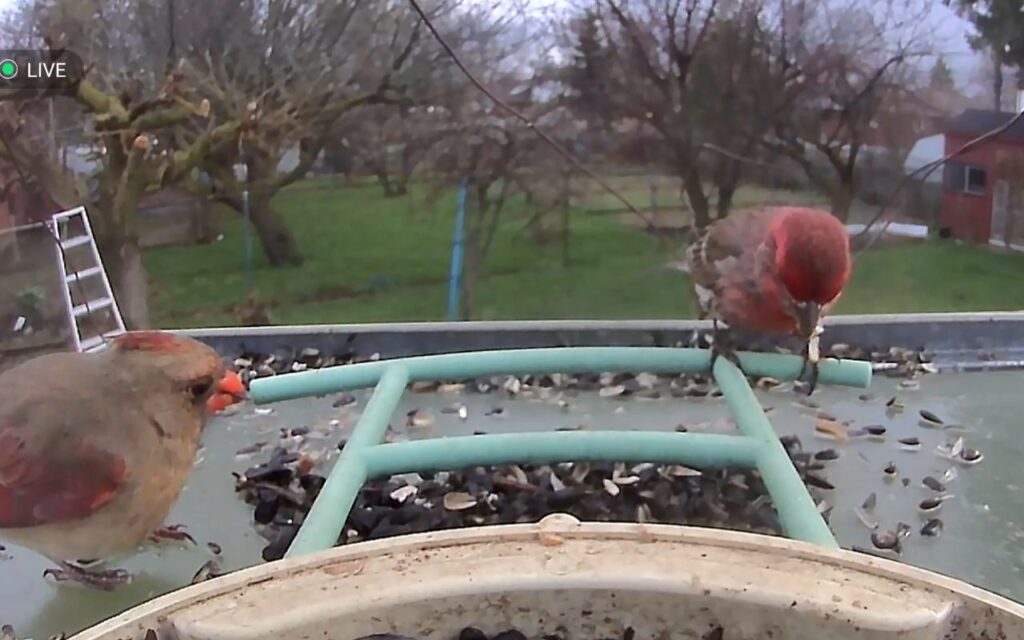
While the marketing promises seamless species logging, the underlying AI identification engine struggles with wild variance. On BirdForum, an active community tracking log captured a single live feed producing 17 consecutive AI misidentifications in a single afternoon.
The software repeatedly glitched on standard backyard visitors, confusing a common House Sparrow for an Evening Grosbeak, mistaking a native Blue Jay for a White-breasted Nuthatch, and classifying a standard Northern Cardinal as a Red-bellied Woodpecker.
For serious birders, this means spending significant time manually editing your digital collection to correct broken data. [1, 2]
The “Postcard” Clutter Dilemma
The software forces users to open automated app notifications called “postcards” to view and save captured media. In active yards, this gamified structure creates immense user friction. In a community thread on Reddit, active backyard bird watchers detail severe notification fatigue.
A single busy feeder can generate 30 to 40 repetitive postcards a day for the exact same flock of sparrows. Because the cloud interface must load each card individually, sorting through the backlog becomes a tedious chore that many owners eventually abandon.
Hardware Discontinuations
Long-term support concerns have heightened following shifts in production. Community contributors note that the original Pro and Nature camera builds have been phased out as the company rolls out newer generation hardware footprints, such as the Bird Buddy 2 variations, the specialized Nook (optimized as a standalone nesting ecosystem), and the Home configurations. This leaves early adopters vulnerable to replacement parts availability over time.
Want to see the Bird Buddy ecosystem for yourself?
If you love the idea of a gamified bird-watching experience and collecting species cards, check the real-time pricing and user ratings here:
➡️ View the Bird Buddy Smart Feeder on Amazon
How to Stop Mold in Smart Bird Feeders & Netvue Faults
Netvue designed their Birdfy line by placing standard home security camera hardware inside a bird feeder chassis. While this drops the entry price, it exposes structural challenges in harsh weather.
Overcoming Moisture and Seed Contamination
Enclosed plastic and metal seed reservoirs trap humidity inside the container, turning standard seed mixes into damp clumps. In humid geographic regions, owners point out that black mold spores can take over the internal feeding tray within a week. [1]
To fix this issue without using harsh chemicals that harm wildlife, the top community workaround is to thoroughly clean the container using a diluted 1-to-10 white vinegar and hot water solution. Once fully dry, owners apply a thin layer of specialized water repellent (such as Rain-X) exclusively to the exterior camera lens protective cover to prevent rainwater pooling from blurring the view during storms.
The Metal Casing Wi-Fi Shielding Flaw
For owners choosing heavy metal chassis upgrades, wireless placement is incredibly restrictive. Forum logs on r/Birdfy reveal that the metal frame construction heavily degrades the 2.4 GHz internal antenna reception. [1]
Technical support interactions shared on community boards confirm that the front face of a metal Birdfy unit must point directly at your home router’s line of sight. If you turn the feeder away to face natural garden cover or protective trees where birds feel safe sheltering, the metal body shields the antenna, triggering constant connection dropouts. [1, 2]
Netvue Birdfy Solar Panel Charging Issues
Solar power accessories are heavily utilized to keep the 5,200 mAh battery topped off, but charging loops frequently break down under continuous exposure. Troubleshooting threads document states where the module completely refuses to accept an electrical current from the solar array. [1]
When this happens, the internal battery management system often requires a power cycle. Owners must bring the camera module indoors, disconnect the solar panel cable entirely, use a standard high-output USB wall block to charge the module back to 100% manually, and clean the outdoor USB port pins with isopropyl alcohol to remove moisture corrosion before re-deploying it outside.
Short Clip Cutoffs
Users frequently complain that their video recordings are cut short, sometimes logging clips of only a few seconds. Official support responses clarify that video recording durations on standard tiers are hard-coded to a 10-to-20 second default envelope to protect battery health and prevent cloud server congestion.
Extending this window requires a paid membership tier, meaning short clips are dictated by tier rules rather than an internal hardware memory choke. [1]
Considering the Netvue Birdfy stream instead?
If you prefer a budget-friendly option with a wider field of view and continuous stream options, you can check availability and bundled solar accessories here:
➡️ View the Netvue Birdfy Cam Feeder on Amazon
The Reliable Alternative: A Weather-Sealed Wireless DSLR Setup
If you want pristine, high-resolution bird photography without dealing with cloud subscription tiers, broken firmware pairing loops, or inaccurate AI species tracking, experienced photographers on independent birding forums recommend avoiding commercial smart feeders entirely.
Instead, you can build a highly reliable, professional-grade remote monitoring station for roughly $600 by leveraging used, weather-sealed camera gear featuring native wireless smartphone control:
- The Complete Camera Bundle: Source an all-in-one factory kit such as the Canon EOS R100 Mirrorless Camera Bundle featuring RF-S 18-45mm and 55-210mm IS STM lenses (around $450–$550). This exact setup includes a 24.1MP APS-C sensor, 4K video capabilities, a DIGIC 8 processor, and Dual Pixel CMOS AF. [1, 2]
- The Remote Management: Use the manufacturer’s native, free wireless mobile application running on an indoor smartphone or tablet.
Because these camera bodies feature robust environmental weather sealing, they can withstand outdoor deployment far better than cheap plastic smart feeders.
Native wireless control allows you to sit safely inside your home, view a clean live feed of the feeder perch on your tablet screen, manually adjust your focus points, and capture true high-resolution images instantly. This gives you absolute control over your media with zero data privacy concerns and zero monthly fees. [1]
Sources & Community References
- BirdForum – Verified Bird Buddy Live Feed Tracking & AI Error Log
- BirdForum – Smart Bird Feeder Long-Term User Structural Survey
- r/BirdBuddy – 3x Blinking Orange Handshake Error Troubleshooting Loops
- r/BirdBuddy – Postcard App Notification Clutter Analysis
- r/BirdBuddy – Support Correspondence & Discontinued Hardware Models Log
- r/Birdfy – Netvue Casing Connectivity & Support Diagnostics Threads